

Whether you are a student writing a thesis, a freelance chartered accountant, or a small business owner in India, Microsoft Office is the backbone of your digital workflow. You simply cannot run a modern workstation without Word, Excel, and PowerPoint.
However, Microsoft has made buying their software incredibly confusing. When you browse the official store, you are bombarded with different names: Microsoft 365, Office 2021, and the newly released Office 2024. Some require a monthly subscription, while others are a one-time purchase. Choosing the wrong version can mean either missing out on crucial cloud features or wasting thousands of rupees on a recurring bill you didn’t actually need.
At Keys-Shop.in, Microsoft Office products are our undisputed bestsellers. Based on the questions we receive daily on our WhatsApp support desk, we have created this definitive guide. We will break down the exact differences between Office 365, Office 2021, and Office 2024, and help you decide which version is the smartest investment for your specific needs.
> Quick Summary: The Microsoft Verdict
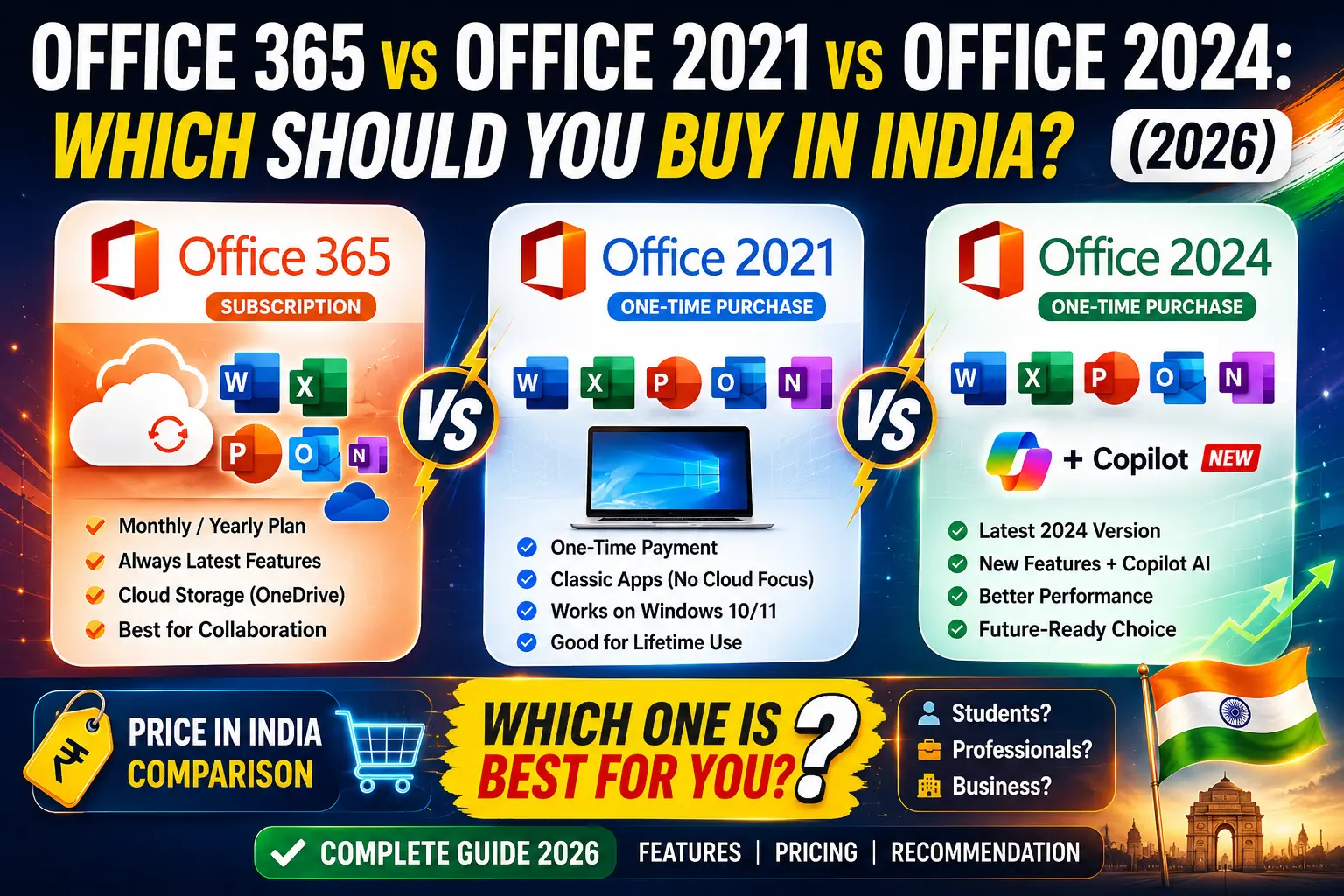
• Office 365: Best for scaling teams and remote workers who need constant cloud syncing, 1TB OneDrive storage, and multi-device access. Requires a subscription.
• Office 2024: Best for businesses wanting the newest features (like advanced Excel dynamic arrays and modern UI) without the recurring bill. It is a one-time lifetime purchase.
• Office 2021: Best for budget-conscious students and solo users who just need reliable, offline access to standard Word and Excel. The cheapest lifetime option.
1. Office 365 (Microsoft 365): The Cloud Ecosystem
Microsoft 365 is not just software; it is a continuously updated service. You are renting access to the absolute latest versions of the apps.
The Major Advantages:
• 1TB Cloud Storage: Every user gets a massive 1TB of OneDrive storage, seamlessly backing up your files to the cloud.
• Multi-Device Support: You can install your Office suite on your Windows PC, MacBook, iPad, and Android phone simultaneously.
• Real-Time Collaboration: If your team needs to edit a single Excel sheet at the exact same time from different cities, Office 365 handles this flawlessly.
The Drawback:
It is a subscription. If you stop paying your monthly or annual fee, your software reverts to ‘read-only’ mode, locking you out of editing your own files.
2. Office 2024: The Modern Lifetime Key
Released as the successor to 2021, Office 2024 is for users who hate subscriptions but still want modern features.
The Major Advantages:
• Pay Once, Keep Forever: You buy a genuine activation key, enter it once, and own the software for the rest of its lifecycle. No monthly bills.
• Newest Offline Features: It includes all the visual overhauls of Windows 11, massive performance boosts in heavy Excel sheets, and new dynamic array functions that were previously exclusive to 365.
• 100% Offline Capability: It does not require an active internet connection to verify your license every month. Perfect for highly secure corporate environments.
The Drawback:
It is locked to one device (1 PC or 1 Mac), and it does not include the 1TB OneDrive cloud storage.
3. Office 2021: The Budget Workhorse
Office 2021 remains a phenomenal, highly stable release. It looks and acts very similar to 2024 but lacks a few of the very newest backend performance tweaks.
The Major Advantages:
• The Price Point: Because 2024 is the new flagship, genuine retail keys for Office 2021 have seen massive discounts. It is currently the most cost-effective way to permanently own Microsoft Office legally.
• Proven Stability: It has received years of bug fixes and patches, making it incredibly reliable for offline accounting and academic work.
The Drawback:
It will reach the end of its official Microsoft support lifecycle sooner than the 2024 edition.
How to Buy Safely and Save Thousands (via Keys-Shop.in)
If you buy directly from the official retail channels, a lifetime Office 2024 Home & Business license costs upwards of ₹25,000, and a 365 Family plan drains ₹6,000+ every single year.
Keys-Shop.in changes the math. We source genuine, verifiable retail and OEM keys in bulk, allowing Indian professionals to bypass these inflated retail markups safely.
Our Guarantee:
• Official Server Validation: Our 25-digit lifetime keys (for 2021 and 2024) activate directly on setup.office.com, permanently linking the software to your own Microsoft account.
• 1-Year Private 365 Upgrades: If you prefer the cloud, we offer highly discounted 1-Year prepaid upgrades for your existing account, bypassing international auto-debit friction.
• Secure UPI Payments: Pay seamlessly using Google Pay, PhonePe, or Paytm.
• Replacement Guarantee: If any key encounters a validation error during setup, our WhatsApp support team provides an instant replacement.
Frequently Asked Questions
Q: Can I transfer my Office 2024 key to a new laptop later?
A: If you purchase a ‘Retail’ key, yes. It links to your Microsoft Account, allowing you to uninstall it from the old device and reactivate it on the new one. OEM keys, however, bind permanently to the first motherboard.
Q: Do these lifetime versions work on Mac?
A: Microsoft makes specific versions for Windows and macOS. Be sure to check the product title on Keys-Shop.in (e.g., ‘Office 2021 Home & Business for Mac’) before purchasing.
Q: What happens if I lose my product key?
A: Since our retail keys bind to your personal Microsoft account during initial setup, you don’t need to remember the 25-digit code later. You can simply log into your Microsoft account to re-download the software.
Conclusion: The Smart Investment
Choosing the right Office version is simple: If you need 1TB cloud storage and edit documents simultaneously with a remote team, get the Office 365 prepaid upgrade. If you want a modern, powerful suite with absolutely zero monthly bills, buy a lifetime Office 2024 key. If you are on a strict budget and just need offline Word and Excel, Office 2021 is unbeatable.
Stop paying inflated retail prices. Browse the Microsoft Office category on Keys-Shop.in today, choose the genuine software that fits your workflow, and checkout securely via local UPI.

