
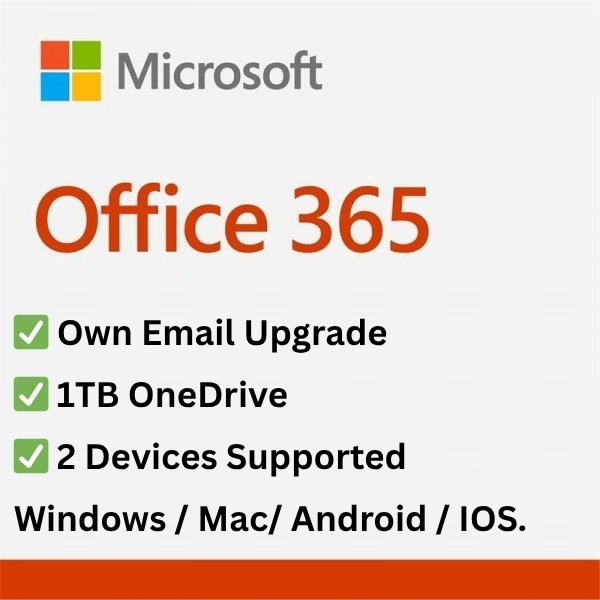

Microsoft Office 365 Pro with 1TB OneDrive (Own Email Upgrade) – One-time activation
Experience premium Office apps and cloud storage for life – all activated directly on your personal email like @outlook, @hotmail, @gmail, and more.
Key Features:
-
🔐 Activated on Your Personal Email – Works with your existing email (no shared account!).
-
📩 Join via Invitation Email – You’ll receive an official Microsoft invitation to join the Office 365 group.
-
💻 2 Devices Supported – Use Office 365 Pro on 2 devices at the same time.
-
🖥️ Multi-Platform Compatible – Fully supports Windows, MacBook, Android, and iPhone/iPad.
-
☁️ 1TB OneDrive Storage – Store and sync your documents, photos, and videos securely in the cloud.
-
🧑💻 Access to Full Office Apps – Word, Excel, PowerPoint, Outlook, OneNote, and more.
-
🔄 Validity – One-time upgrade. No renewals, no monthly costs.
-
🔄 Get Official Microsoft Updates – Always up-to-date with the latest Office features.
Perfect for:
-
Students & Educators
-
Working Professionals
-
Entrepreneurs & Remote Workers
-
Families or Individuals looking for secure cloud access
Buy Microsoft Office 365 Pro with 1TB OneDrive (Own Email Upgrade) – now and enjoy a secure, private, and powerful Microsoft experience without subscriptions.
Who Is This For?
This is the premium Office 365 option for users who want the productivity suite linked to their own personal email — your existing Outlook, Hotmail, or Gmail address — rather than a shared admin login. It’s built for professionals who use Outlook as their primary email client, founders and freelancers running their business off a personal address, students whose university accepts personal email logins, and households where each member wants their own private OneDrive folder.
If you’re fine with a shared admin login and just need Office on 5 devices for ₹349, choose the standard Office 365 Pro Plus (5 Devices) product instead. The Own Email Upgrade is for users where account ownership and email identity matter.
Pricing Comparison — India
| Plan | Microsoft India Direct | Keys-Shop |
|---|---|---|
| Microsoft 365 Personal (1TB, own email) | ₹4,899 / year | — |
| Microsoft 365 Family 100GB (1 admin + 5 invites) | ₹6,199 / year | — |
| Office 365 Pro + 1TB OneDrive (Own Email Upgrade) | Not available retail | ₹3,999 one-time |
A single year of Microsoft 365 Personal direct (₹4,899) costs more than this one-time payment. Customers renewing year after year save ₹4,899+ annually.
Frequently Asked Questions
Q: How is this different from the ₹349/₹899 Office 365 (5 Devices) product?
A: The cheaper product provides login credentials for a shared admin account we manage — you log in with that username and password to use Office and OneDrive. The Own Email Upgrade activates Office 365 on YOUR personal email address (Outlook, Hotmail, or Gmail) via a Microsoft Family invitation. Your email, identity, and OneDrive folder are all in your name.
Q: Why does activation take up to 72 hours?
A: We need a Microsoft Family admin account with an available invite slot to add you as a family member. If we have one ready in inventory, activation completes within minutes. If we need to procure a fresh admin account for your order, we use up to 72 hours as a buffer. Most orders complete in under 24 hours.
Q: How does the Microsoft Family invitation work?
A: You provide your personal email address. We send a Microsoft 365 Family invitation from our admin account to that email. You accept the invite via Microsoft’s official invitation page. Once accepted, your account is automatically upgraded with full Office 365 Pro features and 1TB OneDrive — all linked to YOUR email, not ours.
Q: Is this a legitimate Microsoft 365 Family slot?
A: Yes. Microsoft 365 Family includes 1 admin + 5 family members. We provide the admin account; you join as one of the 5 family members. Microsoft recognizes you as a legitimate family member with full feature access.
Q: What happens after the 1-year warranty period?
A: Most accounts continue working well beyond the warranty period — many customers stay on theirs for 2+ years. The 1-year warranty covers the rare cases where the underlying admin account is retired or migrated. Beyond year one, the account continues to work; free replacement is no longer included.
Q: What happens to my files if I’m removed from the family or the admin account expires?
A: Your personal Microsoft email account itself remains active (it’s yours). However, your OneDrive storage will revert to the free 5GB tier, and any files exceeding that limit are deleted by Microsoft after a grace period. Important: do not store irreplaceable data in OneDrive without a separate backup elsewhere. Treat the 1TB as working space, not your only archive.
Q: Can I install Office on more than 2 devices?
A: This Own Email Upgrade allows simultaneous installation on 2 devices (per Microsoft’s family member limits). If you need a third install, sign out of Office on one of the existing devices first. For installation on 5 devices, choose the standard ₹349/₹899/₹1,200 Office 365 Pro Plus 5 Devices product instead.
Q: Can I use my existing Outlook, Hotmail, or Gmail address?
A: Yes — that’s the entire purpose of this upgrade. Provide any active Outlook, Hotmail, or Gmail address (or any email that can receive Microsoft invitations).
Q: Is this available for Indian customers? Can I pay in INR?
A: Yes. Pricing is in INR (₹3,999), delivery to Indian email addresses, and customer support is provided by India-based staff via WhatsApp, email, and live chat during business hours.
See exactly how much storage your photos, videos and backups actually use.
Our free calculator estimates your real storage need, shows what renting it costs over 5 years, and helps you pick the right plan — no guessing.


Chintan Nanda (verified owner) –