

If you’ve been using Canva Free and constantly hitting walls — locked templates, watermarked stock photos, no background remover — you already know you need Canva Pro. But spending ₹4,500 per year on the official plan feels steep when you’re a freelancer, student, or small business owner watching every rupee.
The good news? You don’t have to pay full price. In this guide, we’ll break down exactly what Canva Pro costs in India, what you actually get for your money, and how to get it at a fraction of the official price — without any shady workarounds.
What Does Canva Pro Actually Cost in India?
Let’s start with the official numbers straight from Canva’s pricing page:
| Plan | Monthly | Yearly | Per Month (Yearly) |
| Canva Free | ₹0 | ₹0 | ₹0 |
| Canva Pro (Official) | ₹499/month | ₹3,999/year | ~₹333/month |
| Canva for Teams | ₹6,750/year | — | ~₹563/month |
So if you go directly through Canva, you’re looking at either ₹499 every month or ₹3,999 upfront for the year. For most Indian freelancers and small business owners, that’s a significant chunk of their monthly tool budget.
Canva Free vs Canva Pro: What’s Actually Different?
Before you decide whether to upgrade, here’s what you’re missing on the free plan:
Templates: Canva Free gives you access to roughly 250,000 templates. Canva Pro unlocks over 610,000 premium templates — and the quality difference is immediately noticeable. Pro templates look polished and professional; free templates tend to look… well, free.
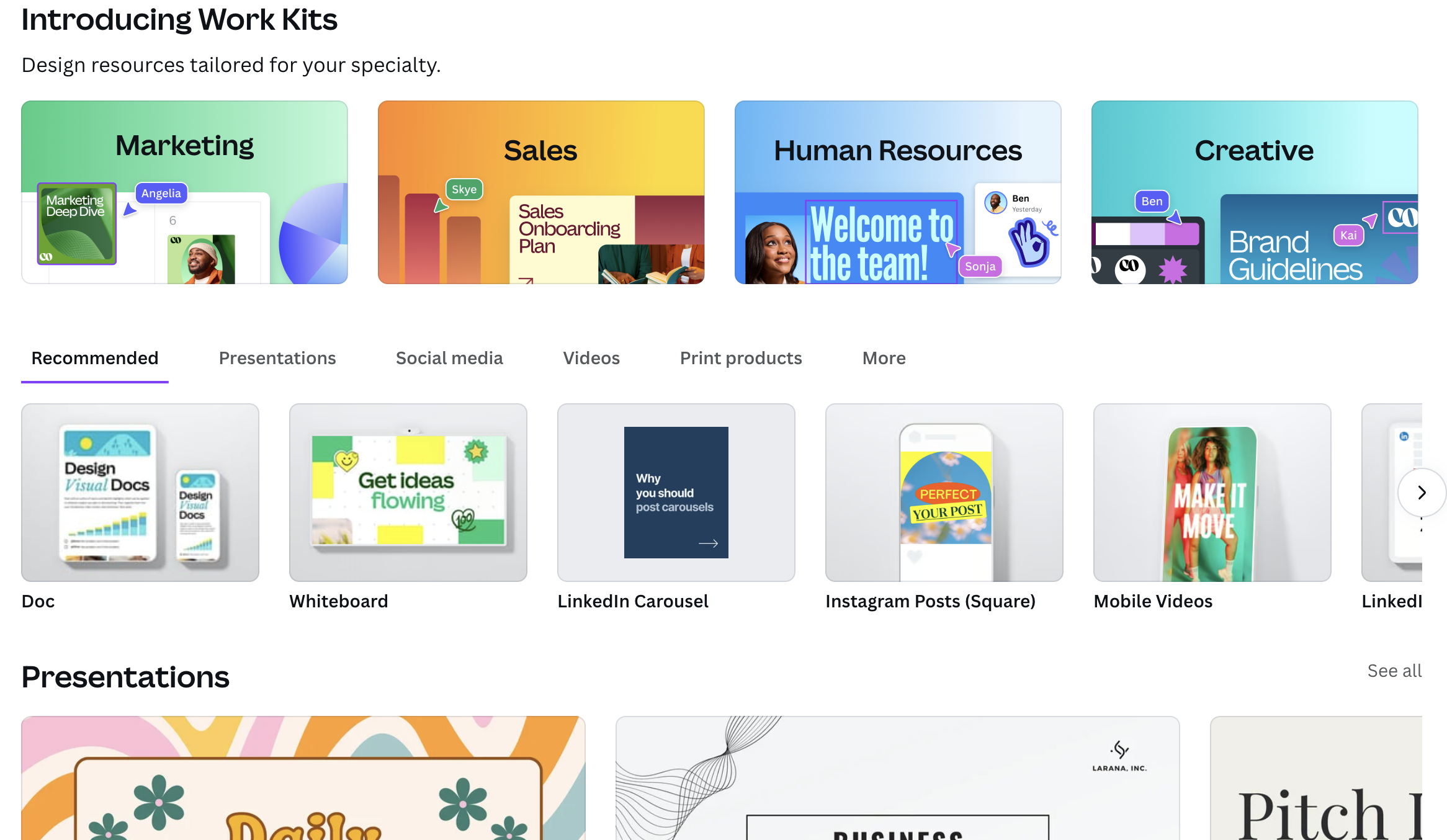
Stock Library: Free users get limited stock photos with watermarks on premium ones. Pro users get access to over 100 million premium stock photos, videos, graphics, and audio tracks — all included at no extra cost.
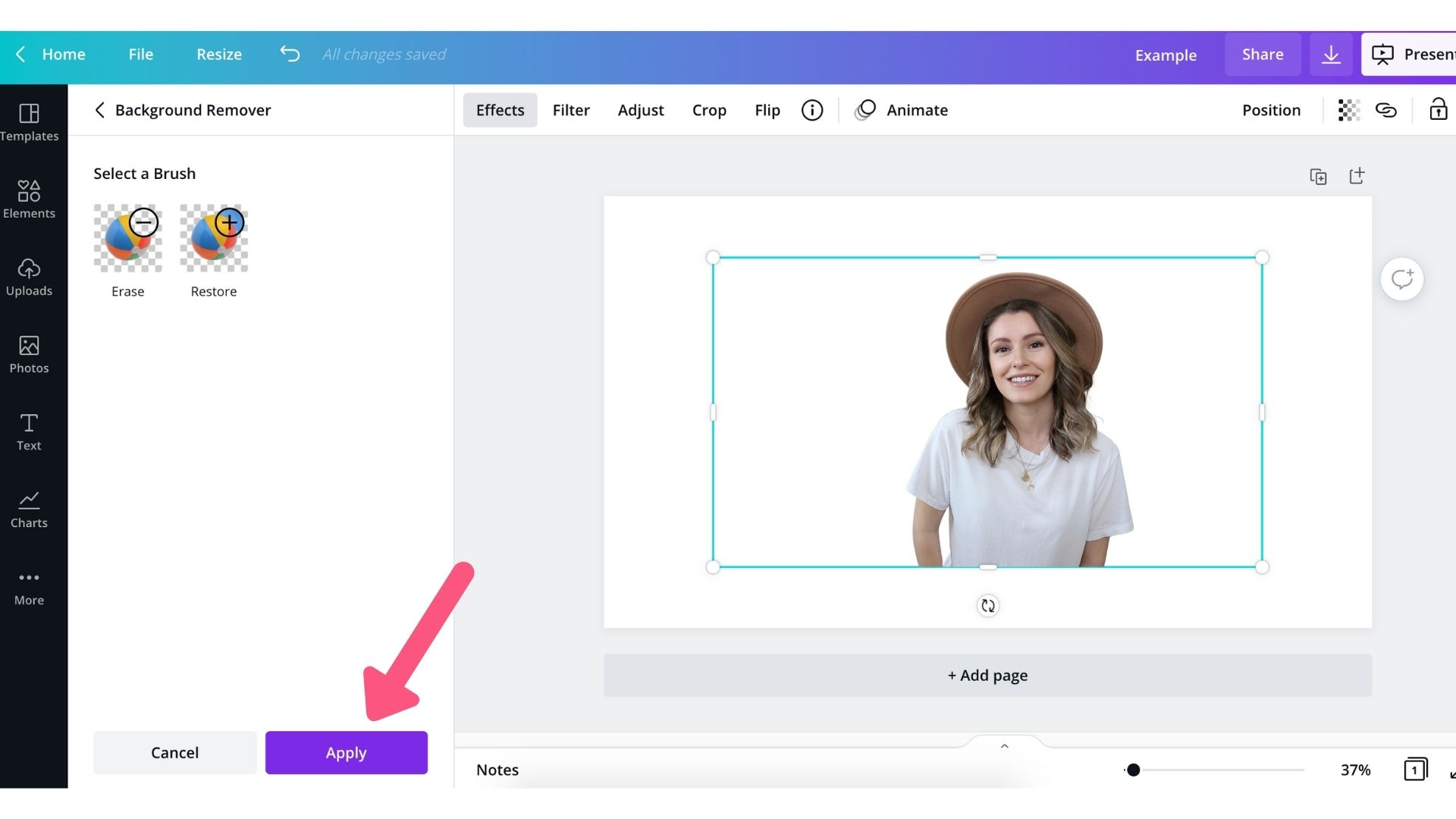
Background Remover: This is the feature most people upgrade for. Need to remove the background from a product photo? A headshot? A logo? One click in Pro. On Free? You’re opening a separate editing tool and spending 15 minutes per image.
Magic Resize: Designed an Instagram post and now need it as a Facebook cover, a LinkedIn banner, and a Pinterest pin? Magic Resize converts it to any dimension instantly. Free users have to recreate each version from scratch.
Brand Kit: Upload your logo, set your brand colours and fonts, and apply them consistently across every design. This alone saves hours per week if you create content regularly.
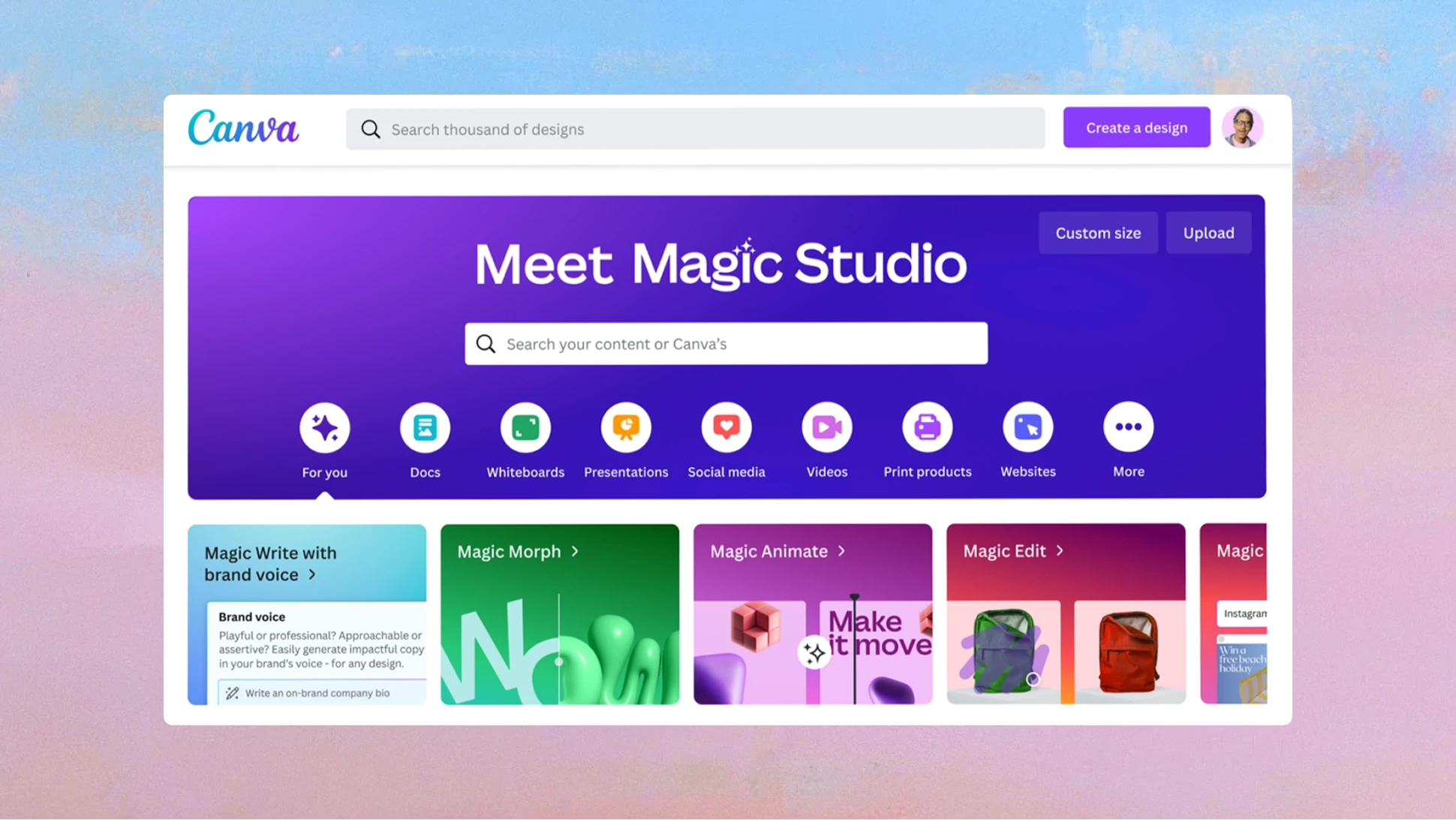
AI Tools: Canva’s Magic Studio includes AI-powered features like Magic Write (text generation), Magic Edit (AI image editing), and AI-powered design suggestions. Most of these are heavily limited or unavailable on Free.
Storage: Free plan gives you 5GB. Pro gives you 1TB — enough for thousands of designs and assets.
The Real Question: Is Canva Pro Worth ₹4,500/Year?
Let’s do the math. If you’re a content creator or small business owner, here’s what you’d spend without Canva Pro:
- Stock photos from Shutterstock/iStock: ₹500-2,000 per image
- Background removal tools: ₹200-500/month for dedicated tools
- A graphic designer for social media posts: ₹5,000-15,000/month
- Adobe Creative Cloud: ₹38,400/year in India
When you look at it that way, ₹3,999/year for Canva Pro is extremely reasonable. You get professional design tools, unlimited premium assets, and AI features that would cost you lakhs if you paid separately.
But what if you could get it for even less?
How to Get Canva Pro at the Lowest Price
Here are the legitimate ways to reduce your Canva Pro costs:
1. Student & Teacher Discount (Free!)
If you’re a student or teacher at an accredited institution in India, you can get Canva Pro for free through Canva for Education. You’ll need to sign up with your school email (.edu or .ac.in) and verify your status. This includes all Pro features at zero cost.
Who this works for: Currently enrolled students and active teachers with institutional email addresses.
Limitation: Only works with verified educational institutions. If you’re a freelancer who graduated years ago, this won’t work for you.
2. Annual vs Monthly Billing
If you’re paying monthly (₹499/month = ₹5,988/year), switch to annual billing (₹3,999/year). That’s an instant 33% savings — ₹1,989 back in your pocket.
3. Seasonal Discounts
Canva occasionally runs promotions during Black Friday, Cyber Monday, and Back to School season. These can knock 20-30% off the annual plan. But you’ll have to time your purchase and the discounts aren’t guaranteed.
The Smart Way to Get Canva Pro in India
Here’s how the numbers actually stack up:
| Option | Price | Type | Renewal |
| Canva Pro Monthly (Official) | ₹499/month | Subscription | Every month |
| Canva Pro Annual (Official) | ₹3,999/year | Subscription | Every year |
| Canva Pro at Keys-Shop.in | ₹1,999 | One-time | No renewal needed |
That means you’re saving ₹2,000 compared to the official annual plan — and unlike the official subscription, you don’t have to worry about auto-renewals or recurring charges hitting your card.
At Keys-Shop.in, we offer Canva Premium with an own account upgrade for just ₹1,999 — that’s a one-time payment, compared to Canva’s official ₹3,999/year recurring subscription. You save 50% on day one, and you never have to worry about annual renewals.
We’ve been selling digital products for over 4 years, trusted by 40,000+ customers across India.
What you get for ₹1,999:
- Full Canva Pro features — every tool, every template, every asset
- Upgrade on your own Canva account (your email, your designs, your workspace)
- WhatsApp support for setup and any issues
- 5-star rated (28 reviews and counting)
Why customers choose us over the official subscription:
“Got my Canva Pro private upgrade done in under an hour. The team explained the whole process clearly before starting. Working smoothly since day one!” — Verified customer
“Was worried about getting scammed, but these guys are legit. Got my own upgraded Canva account and using it daily for client work.” — Verified customer
“Quick service! Purchased a shared account and received access within 30 minutes. Doing all my social media work smoothly now.” — Verified customer
👉 Check Canva Pro pricing at Keys-Shop.in →
Who Should (and Shouldn’t) Get Canva Pro?
Get Canva Pro if you:
- Create social media content more than twice a week
- Need professional-looking designs for your business
- Spend time removing backgrounds from photos
- Work with a team and need brand consistency
- Create content across multiple platforms (Instagram, YouTube, LinkedIn, etc.)
Stick with Canva Free if you:
- Only design occasionally (birthday cards, personal invitations)
- Don’t need premium templates or stock photos
- Are happy spending extra time on manual design work
- Have a budget of literally ₹0 for design tools
Canva Pro vs Other Design Tools
How does Canva Pro compare to the alternatives?
| Feature | Canva Pro | Adobe Creative Cloud | Figma | Crello/VistaCreate |
| Price (India) | ₹3,999/yr (official) | ₹38,400/yr | Free-$15/mo | Free-$10/mo |
| Learning Curve | Very Easy | Steep | Moderate | Easy |
| Templates | 610,000+ | Limited | Community | 50,000+ |
| Background Remover | ✅ One-click | ✅ Advanced | ❌ | ✅ Basic |
| Video Editing | ✅ Basic | ✅ Professional | ❌ | ✅ Basic |
| AI Tools | ✅ Magic Studio | ✅ Firefly | ✅ Basic | ✅ Limited |
| Best For | Everyone | Professionals | UI/UX Designers | Beginners |
For 90% of people who need design tools in India — freelancers, social media managers, small business owners, students — Canva Pro offers the best value. It’s not as powerful as Adobe for professional photo editing or video production, but it handles 90% of daily design needs at a fraction of the cost.
Frequently Asked Questions
Is it safe to buy Canva Pro from third-party sellers? It depends on the seller. Look for established businesses with real customer reviews, years of operation, and responsive customer support. At Keys-Shop.in, we’ve been operating since 2022 with 40,000+ satisfied customers and offer full WhatsApp support.
Will my Canva Pro access stop working? With our plans, we provide ongoing support. If there’s ever an issue with your access, our support team resolves it — usually within hours via WhatsApp.
Can I use Canva Pro designs commercially? Yes. Canva Pro includes a commercial license for all designs you create, including those using premium templates and stock assets.
What’s the difference between shared and private Canva Pro accounts? A shared account gives you Pro features at the lowest price but you’re sharing workspace with others. A private/own account upgrade means Pro is activated directly on your personal Canva account — your designs, your workspace, fully private.
Is Canva Pro available on mobile? Yes. Canva’s mobile app (Android and iOS) gives you full Pro access, including all templates, stock assets, and editing tools.
The Bottom Line
Canva Pro is one of the best investments you can make as a content creator or business owner in India. The official price of ₹3,999/year is already reasonable compared to alternatives like Adobe. But at Keys-Shop.in, you get the same Pro features for just ₹1,999 — a one-time payment with no recurring charges — backed by 4 years of trusted service, 40,000+ happy customers, and a 5-star rating.
Ready to upgrade? 👉 Get Canva Pro at Keys-Shop.in →
Have questions? Message us on WhatsApp — we’re happy to help you choose the right plan.
Keys-Shop.in has been India’s trusted digital products store since 2022. We offer premium software, subscriptions, and digital tools at the best prices, with instant delivery and dedicated WhatsApp support.

